Video walkthrough coming soon
The written steps below cover everything in the meantime.
About 5 min to follow along
When you’re done
- Know how the business is really doing
- Spot no-show and rebooking trends early
- Each team member’s pay for the period in one table
- 1
Pick a period
Go to the left menu → Reports. Choose “This week”, “Last week”, “This month” (1), “Last month”, “Last 30 days”, “Last 90 days”, “This year” or “Last year” — or pick your own “From” and “To” dates (up to 366 days) and click “Show custom dates”. Every number is compared with the period before.
“Team pay” (2) switches to what each person earned.
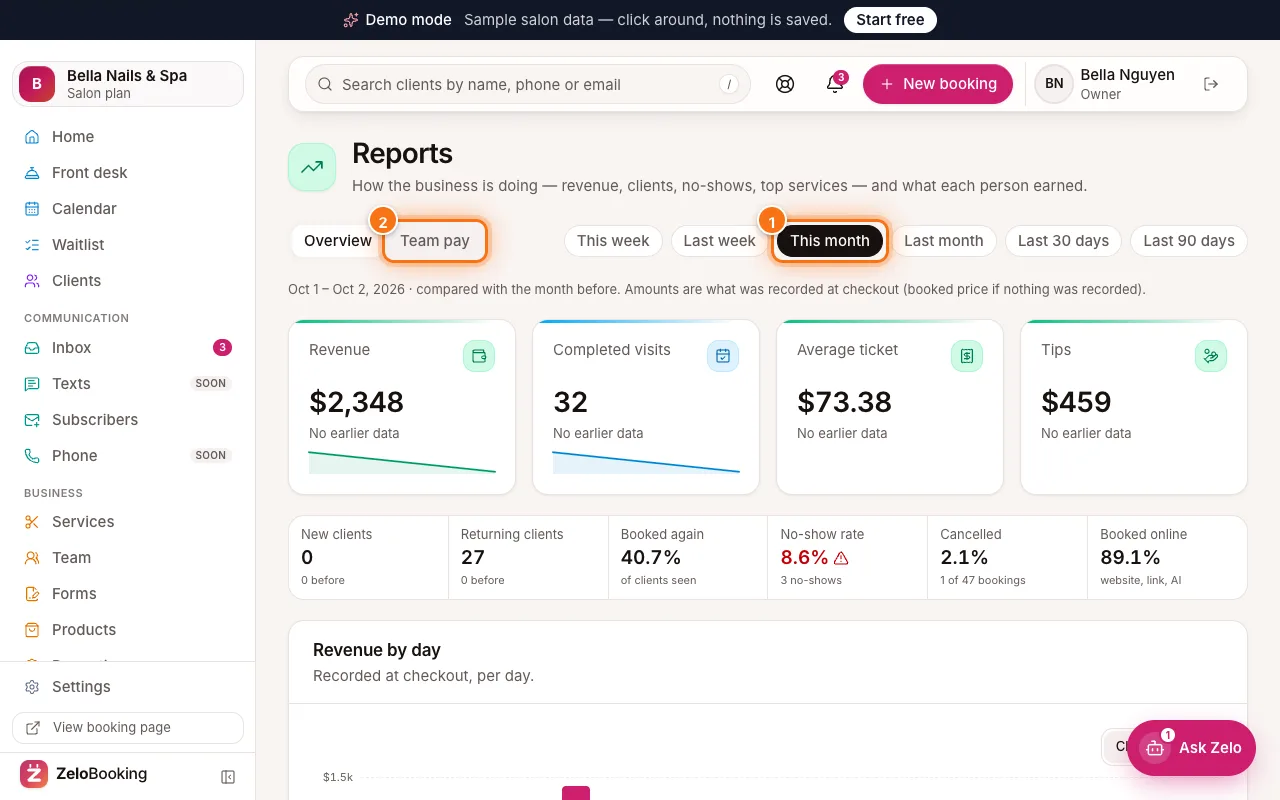
Reports with This month (1) and Team pay (2) highlighted - 2
Read the numbers
The top cards — Revenue, Completed visits, Average ticket and Tips — come from what was recorded at checkout (or the booked price if nothing was recorded).
Below: New clients, Returning clients, “Booked again” (2) (how many clients have another visit booked), “No-show rate” (1), Cancelled and Booked online. A no-show rate marked “high” is worth acting on.
Tip: High no-shows? Make sure reminders are on (Settings → Client emails) and consider a stricter cancellation policy.
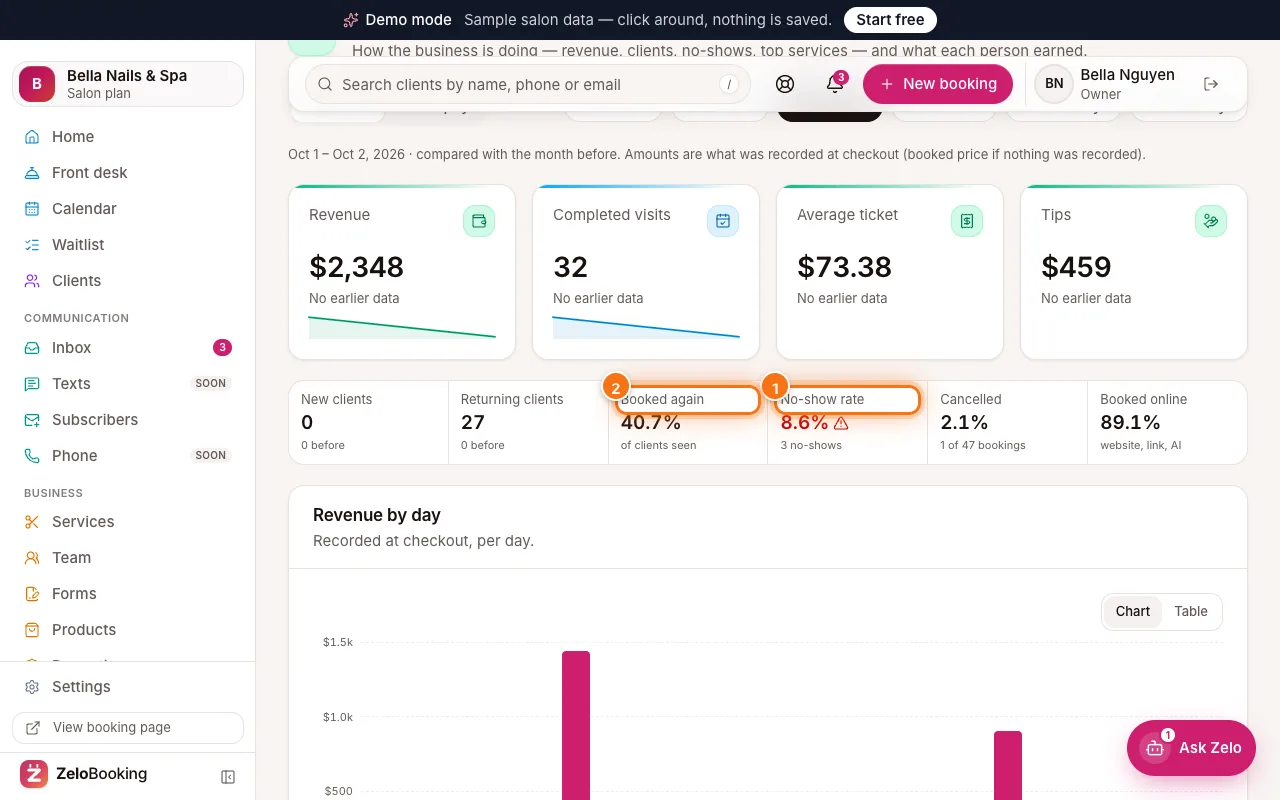
Reports with No-show rate (1) and Booked again (2) highlighted - 3
Revenue by day and top services
“Revenue by day” shows your busy and quiet days — click “Table” for exact numbers. “Top services” (1) lists each service’s visits, revenue and share of the total.
“Retail products” lists the products sold at checkout — how many and the sales — with the period’s “Retail sales” total. Retail is counted on its own, never in service revenue or commission.
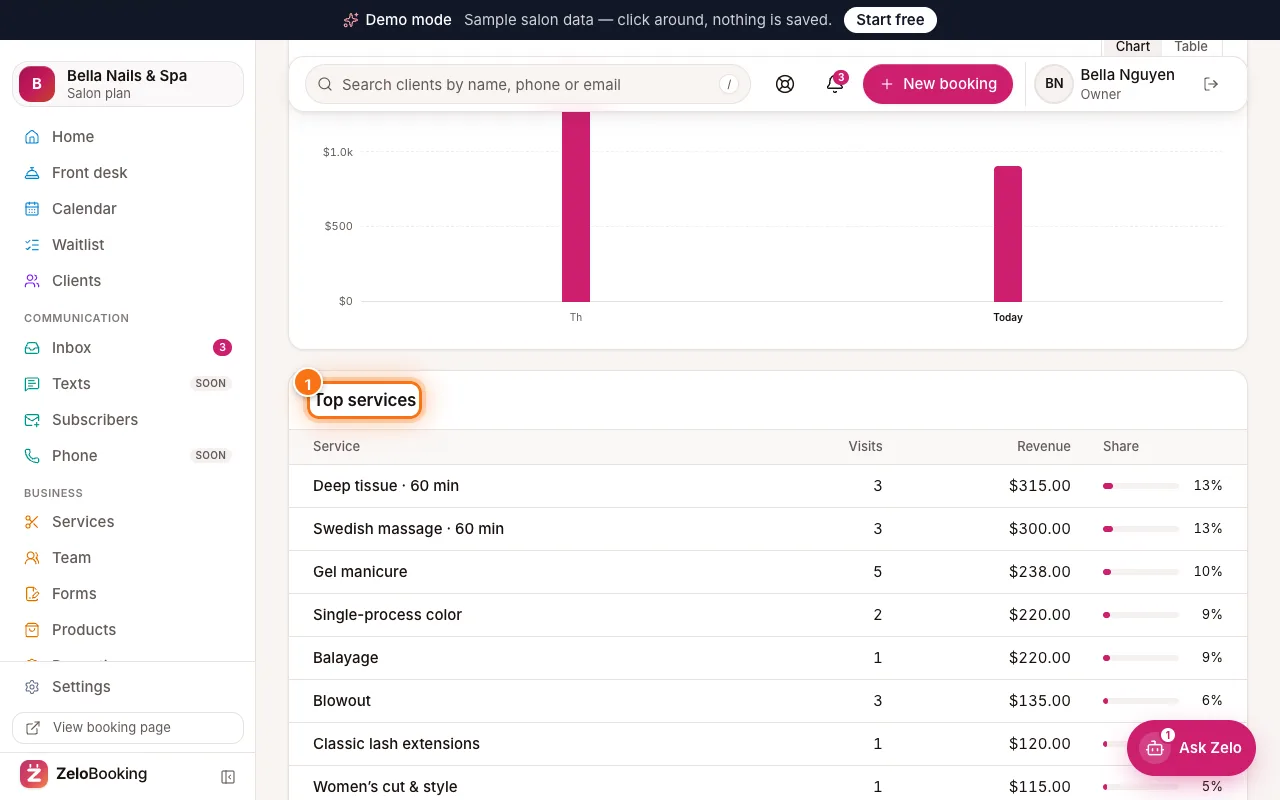
Reports with Top services highlighted (1) - 4
Team pay
Click “Team pay” (1). For each person you see visits, service revenue, their “Commission %”, commission, tips and pay. Set each person’s % once — it’s remembered. Click “Download CSV” to open it in a spreadsheet.
This is for your records only — ZeloBooking doesn’t pay anyone.
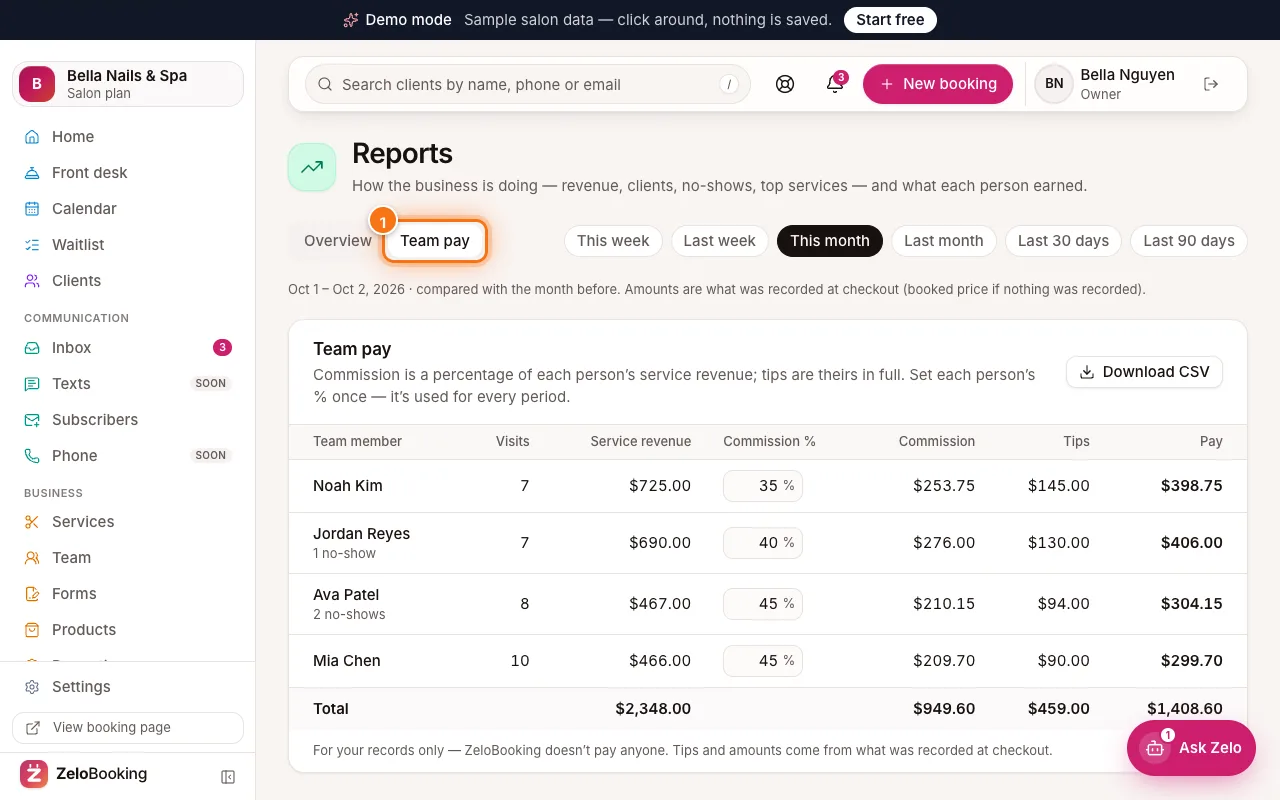
Reports Team pay tab highlighted (1) with each person’s commission, tips and pay