Video walkthrough coming soon
The written steps below cover everything in the meantime.
About 7 min to follow along
When you’re done
- A higher SEO score with the fixes that help most
- Clear titles and descriptions for every page
- Your business details complete for Google
- 1
Check your SEO score
Go to Settings → SEO. “Your SEO score” (1) is out of 100 and updates as you edit.
“Fix these first” lists the changes in order of how much they help — short page titles, missing descriptions, pages with too few words, pages without a way to book. Click “Open the editor” (2) next to one to jump straight to it.
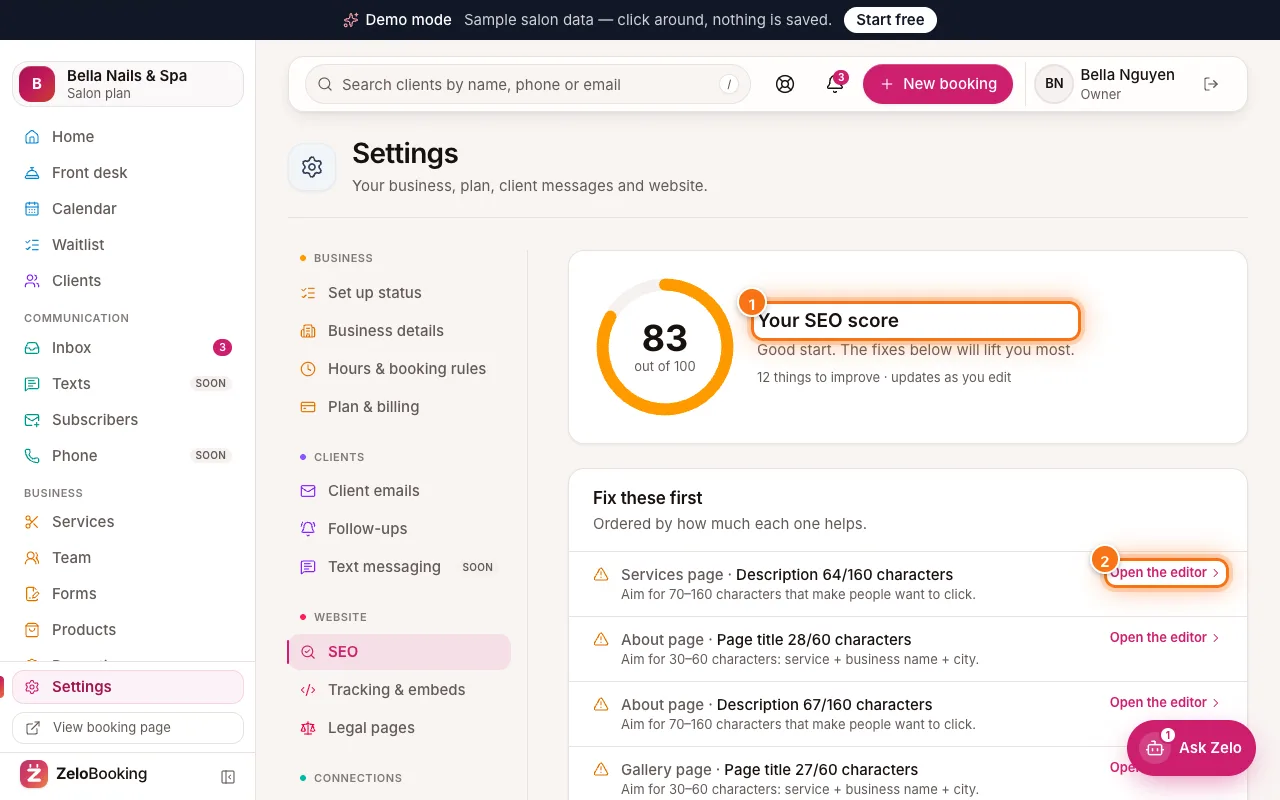
Settings → SEO with Your SEO score (1) and Open the editor (2) highlighted - 2
Write a page title and description
In the editor, click an empty spot so the right panel shows “Page settings”, then open “Search & sharing”.
- “Page title” (1) — aim for 30–60 characters: service + business name + city, like “Gel nails & lashes — Bella Nails, Austin”.
- “Description” (2) — aim for 70–160 characters that make people want to click.
The “Google preview” below shows how it will look in search results. If a title doesn’t include your business name, it’s added for you, and a page without a description uses its own words.
Tip: Write each page’s title and description separately — switch pages with the menu at the top left.
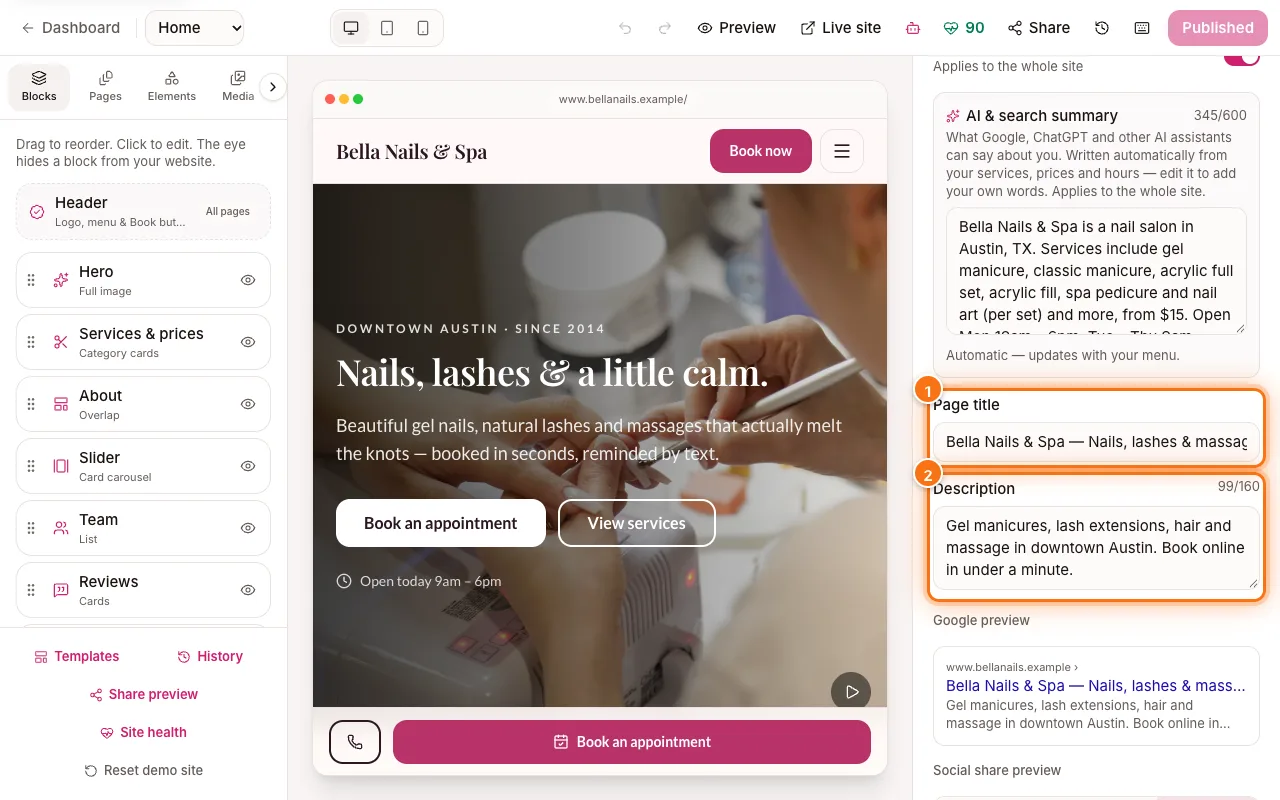
Search & sharing in the editor with Page title (1) and Description (2) highlighted - 3
Complete your business details
Back in Settings → SEO, “Business & site” (1) checks the basics Google looks for: the site is published and visible to Google, your address, phone and hours are set, one phone number everywhere, and services are bookable with descriptions and photos.
Anything not ticked tells you where to fix it.
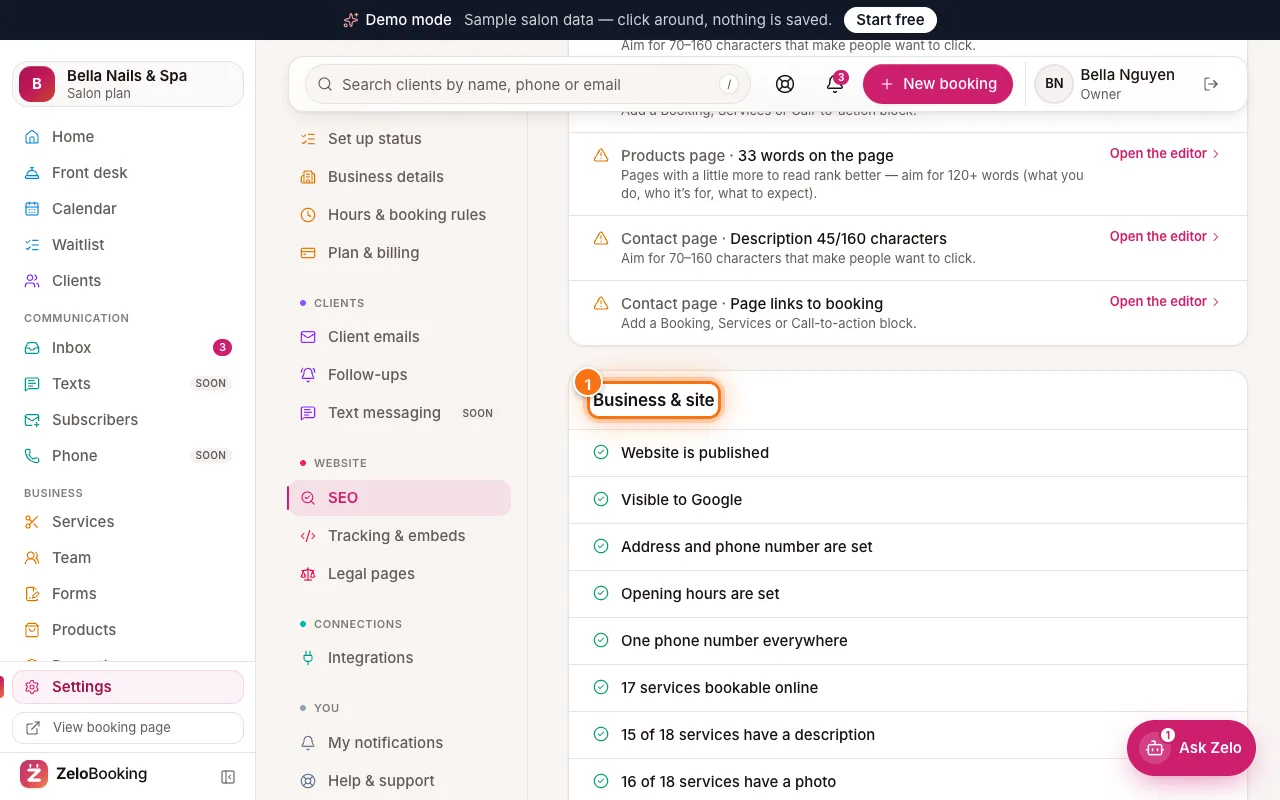
SEO Business & site checks highlighted (1) - 4
Keep the AI summary right
In “Search & sharing” there’s also an “AI & search summary” — what Google and AI assistants can say about you. It’s written from your services, prices and hours. Edit it to add your own words, or keep it automatic. Leave “Show in Google” on unless you want to hide the site.