Video walkthrough coming soon
The written steps below cover everything in the meantime.
About 5 min to follow along
When you’re done
- Your retail products on your website with photos
- Stock levels that warn you before you run out
- Product sales recorded at checkout
- 1
Add a product
Go to the left menu → Products and click “Add product” (1).
If some products are low or out of stock, a yellow bar says so — click “Show only these” (2) to see them.
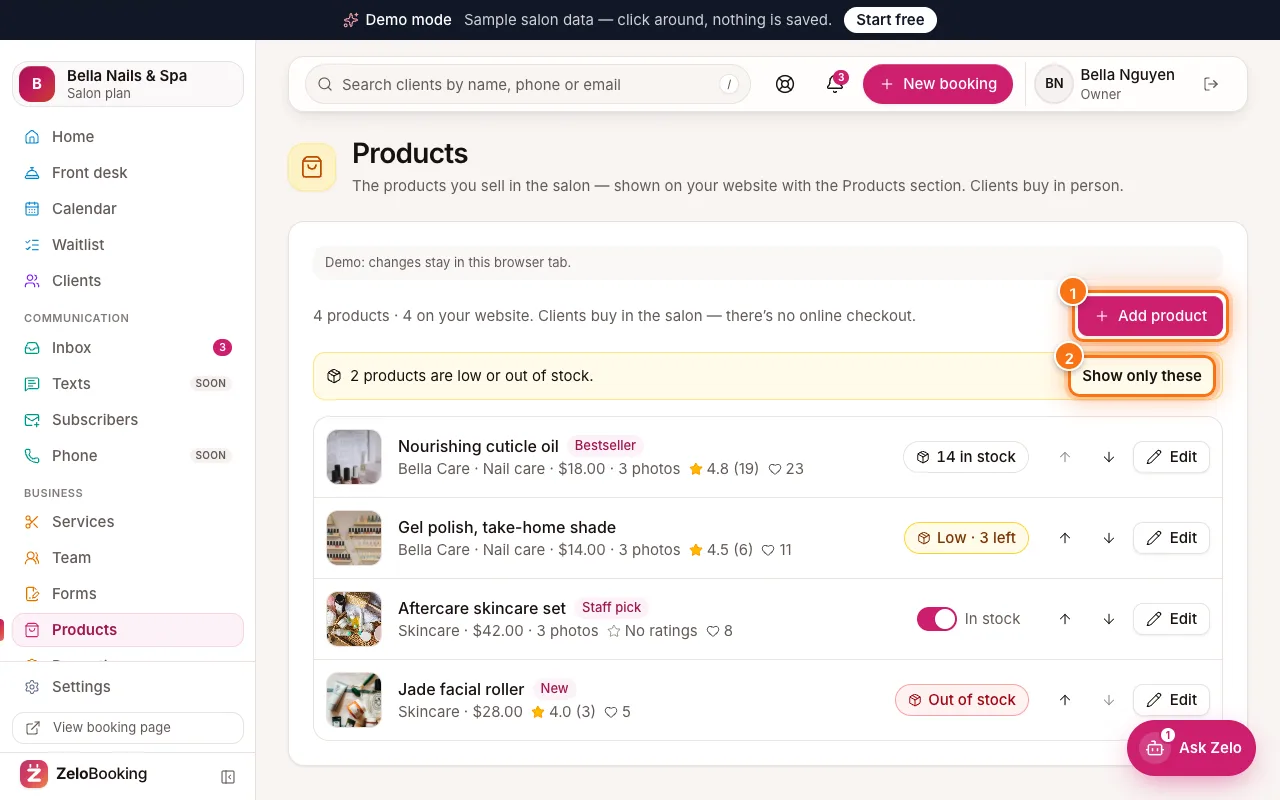
Products page with Add product (1) and Show only these (2) highlighted - 2
Fill in the details
- “Name” (1) — e.g. “Nourishing cuticle oil”.
- “Brand” and “Category” — optional.
- “Price” (2) — leave empty to show no price.
- “Description” — what it’s for and how to use it.
- “Main photo” (3) — “Upload photo” or “Browse media”. Add up to 8 more photos under “More photos”.
- “Label” — an honest highlight like Bestseller, Staff pick or New.
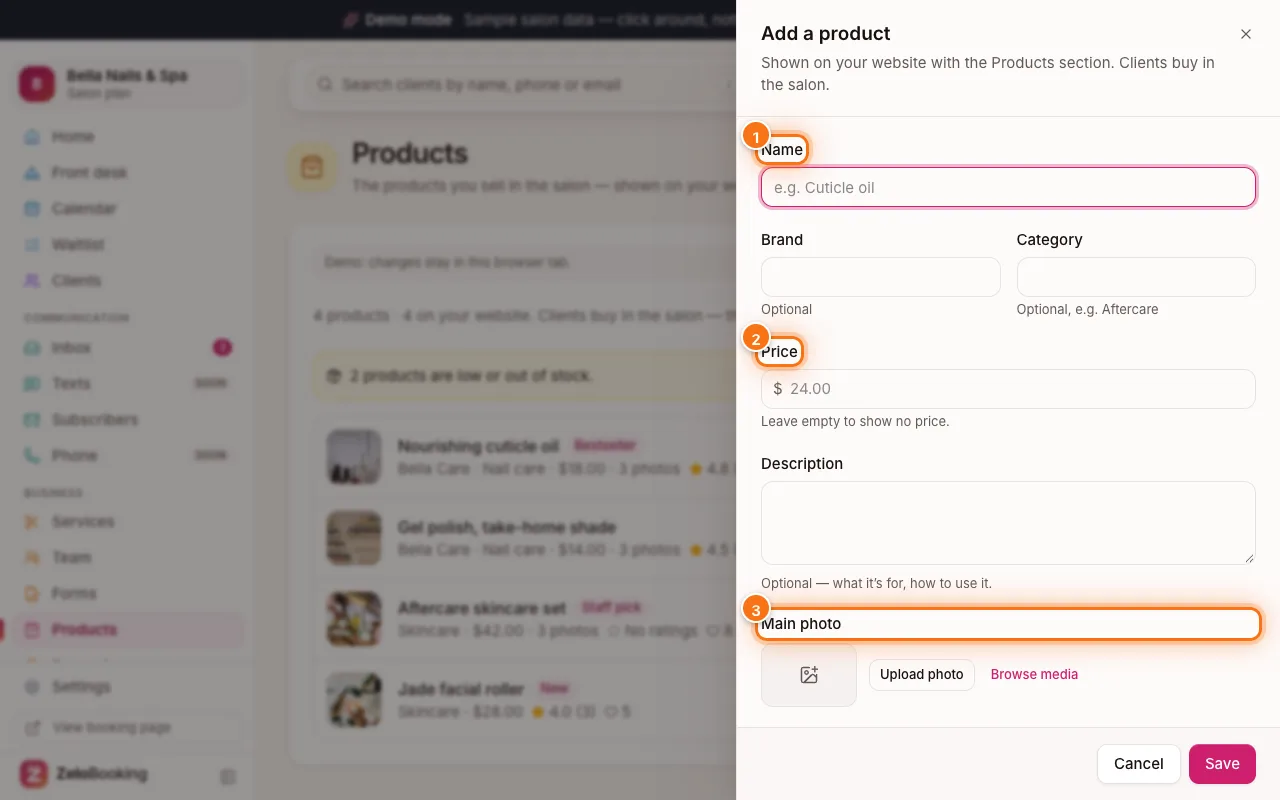
Add a product form with Name (1), Price (2) and Main photo (3) highlighted - 3
Stock and visibility
Switch on “Track stock” (1) to count what you have; at 0 your website shows “Back soon”. Without tracking, use “In stock” instead.
“Show on website” (2) — switch it off to keep a product in your list without clients seeing it. Click “Save”.
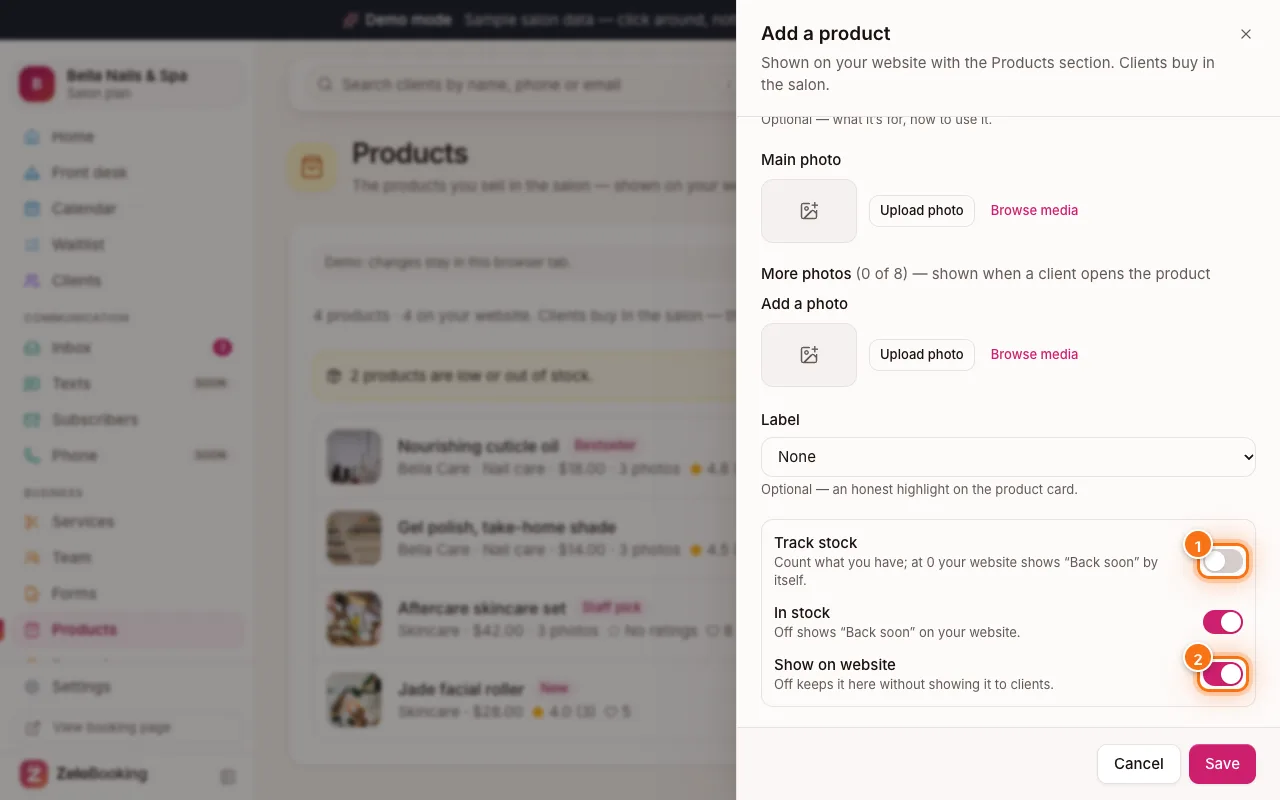
Add a product form with Track stock (1) and Show on website (2) highlighted - 4
Update stock and order
Each product shows its stock: “14 in stock”, “Low · 3 left” or “Out of stock”. Click the stock badge (1) to enter a new count or a change (+/−), with an optional note. Sales on your card machine don’t change it by themselves. Use the arrows to change the order on your website, and “Edit” (2) to change the details.
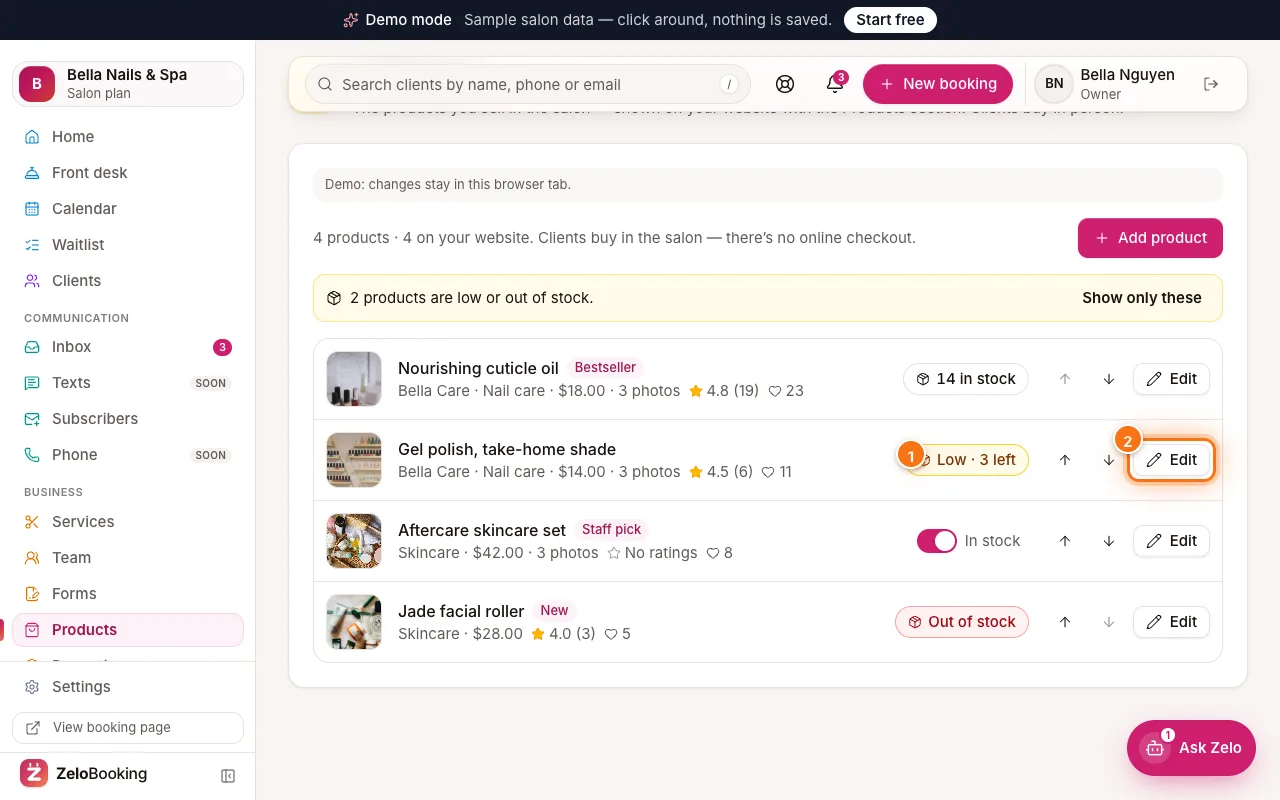
A product’s stock badge (1) and Edit button (2) highlighted - 5
Show them on your website and sell at checkout
In the website editor, add a “Products” block (or a Products page) — it shows your products by itself. Clients buy in the salon; there’s no online checkout.
At checkout on the Front desk board, pick a product under “Products” and click “Add” so the sale is recorded in your reports.