Video walkthrough coming soon
The written steps below cover everything in the meantime.
About 4 min to follow along
When you’re done
- Know exactly what your plan includes
- Upgrade or switch plans in a couple of clicks
- Ready for pay-as-you-go credit when texting and the phone open
- 1
Coming soon
Phone & text credit is coming soon with texting and the business phone — plans and billing work today.
- 2
Open Plan & billing
Go to Settings (gear icon at the bottom of the left menu) and click “Plan & billing” (1) under Business.
The “Plan” panel shows your “Current plan”, its price (or how many days are left in your free trial) and a list of everything it includes. Items marked “(coming soon)” are part of your plan and switch on when they launch.
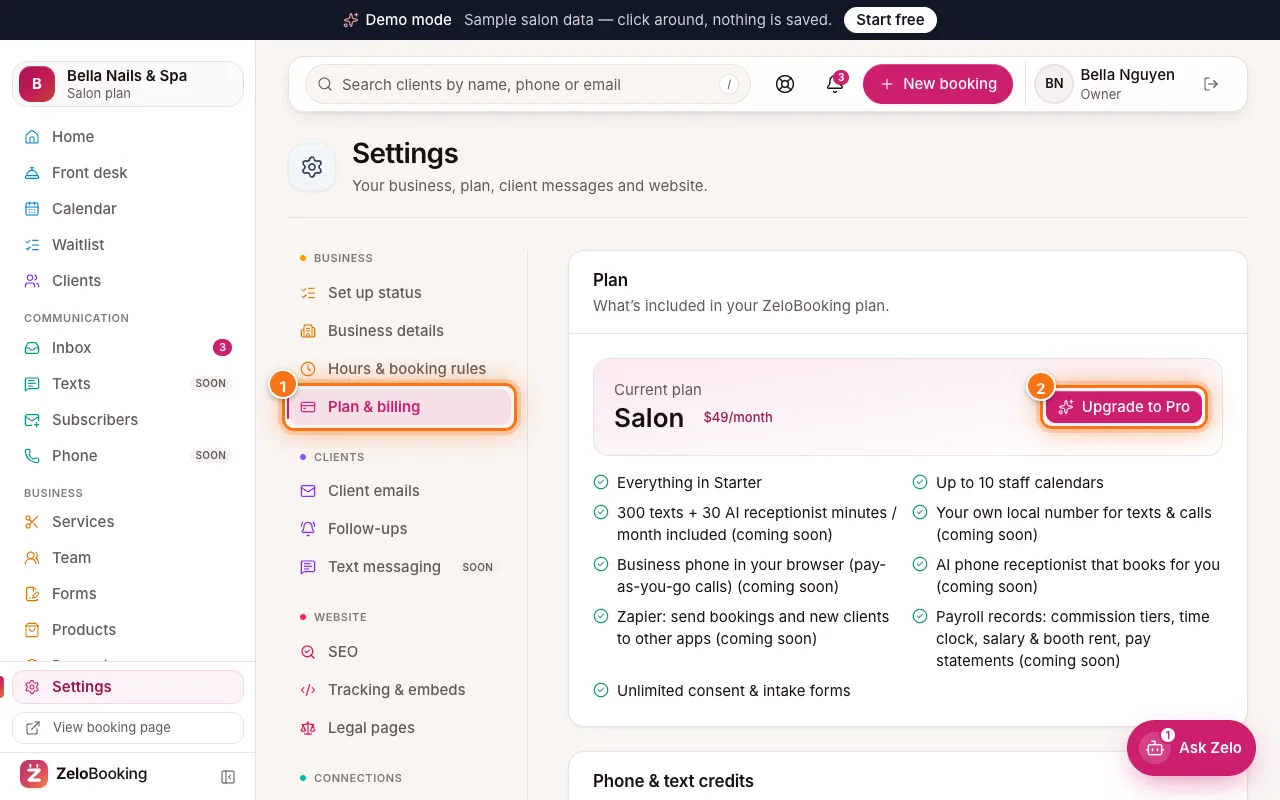
Settings → Plan & billing with the Plan & billing tab (1) and the Upgrade to Pro button (2) highlighted - 3
Upgrade or change plans
Click the button on the right of your plan (2). It says “Upgrade to …” with the next plan’s name, “Compare plans” on the Free plan, or “Choose a plan” during the trial.
A window shows the plans side by side. Choose “Monthly” or “Yearly · 2 months free” at the top, then click “Upgrade to …” under the plan you want and pay by card. Your plan switches as soon as the payment is confirmed (usually a few seconds).
Tip: Only the owner can change the plan. Other team members see “Ask the owner to upgrade.”
- 4
Invoices and your card
Once you pay by card, a line under your plan shows “Paying by card”, monthly or yearly, and when it renews. Click “Invoices & billing” to see your invoices and manage your card and subscription.
- 5
Phone & text credit (coming soon)
Below your plan, the “Phone & text credits” panel says it’s coming soon. When texting and the business phone open, you’ll add pay-as-you-go credit here by card ($20 the first time, then $10 or more). Credit pays for your number, calls, voicemail, extra texts and extra AI minutes, and is only used as you go.
You’ll also see “Included with your plan this month” (system texts, AI receptionist minutes and AI pictures used) and a “History” of every credit added and charge, with the running balance.
Tip: If your balance can’t cover a call or text, it won’t go out — so keep a little credit on hand once these features are on.
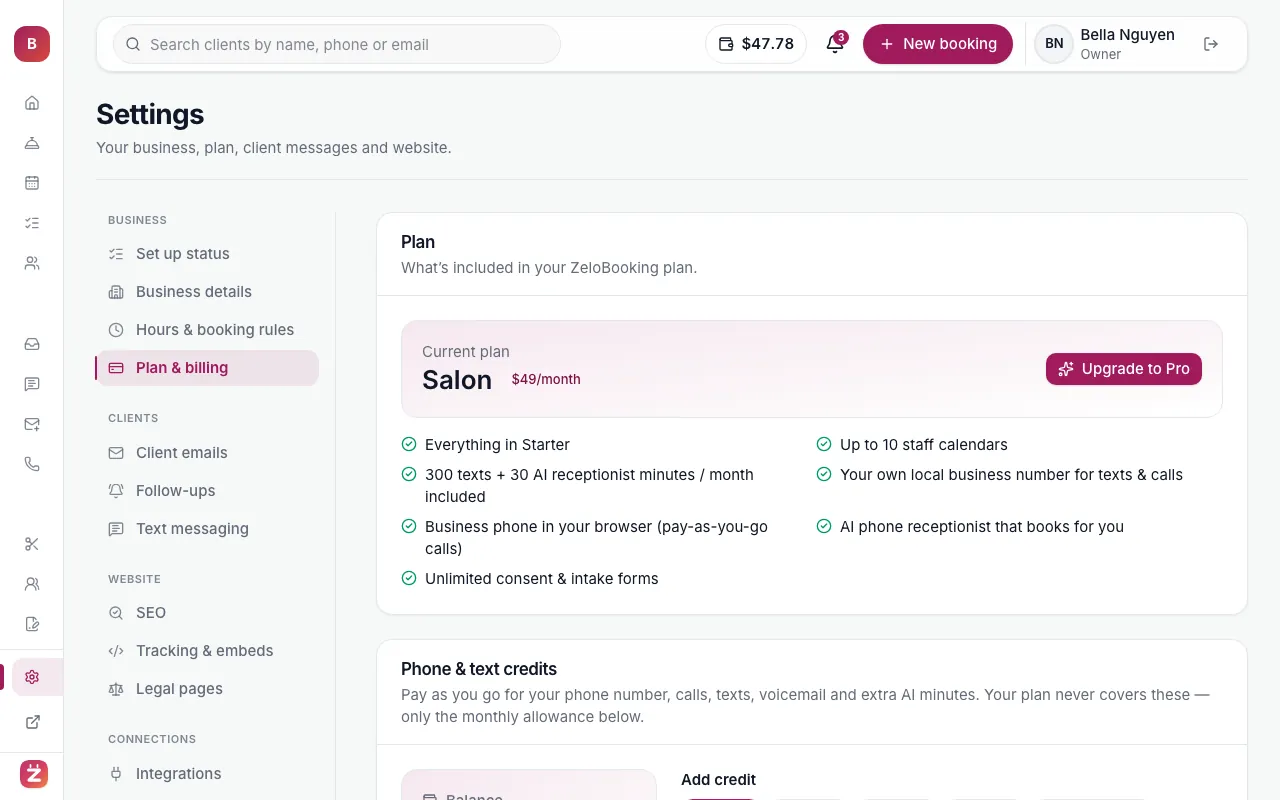
Settings → Plan & billing: current plan, phone & text credit balance and history